Enquiries that sit for days
A new customer asks for a quote, and it slides under receipts and notifications before you get to it.

Email Re-imagined
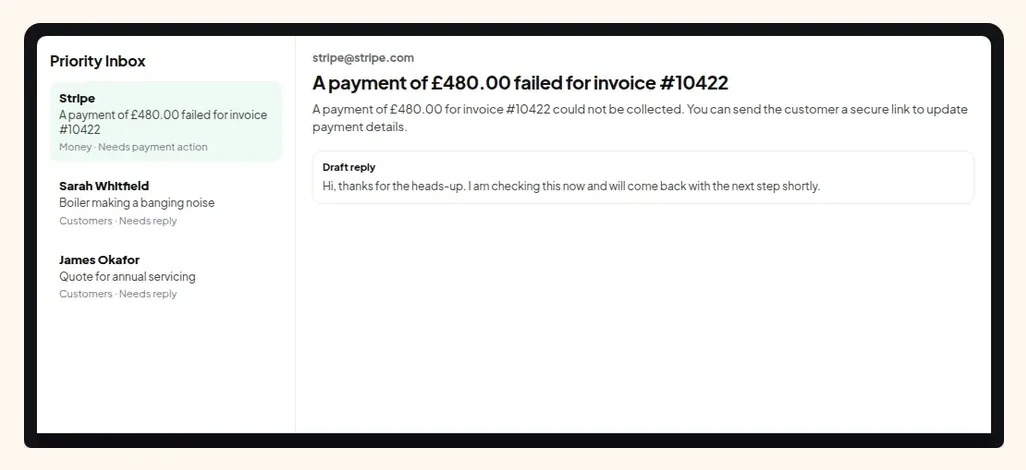
A buyer's reply, a failed payment and a newsletter all land in Gmail looking the same. Email Re-imagined is a private decision inbox, built on your Mac for the Gmail account you already use. It pulls the emails that need a decision to the top, says why, and drafts a reply for you to check. You still decide what goes out.
Gmail shows mail in the order it arrived. The emails that need you sit level with everything else.
A new customer asks for a quote, and it slides under receipts and notifications before you get to it.
A failed card payment or an overdue invoice looks like any other email until it is a problem.
You keep opening the inbox and still can't say which emails need you. That is how the inbox is set up, not a failing on your part.
One Gmail account, on your Mac. It is not a new email address or a hosted website.
Emails that need you go to the top of a Priority Inbox, each with a short reason. The rest can wait.
It can draft a reply, but a draft stays a draft until you send it. The AI never sends email for you.
To sort and draft, email content goes to the AI model you connect, so check that provider's terms first.
No. It sorts your inbox and can draft a reply, but a draft stays a draft until you read it and press send.
No. You don't need zero emails. You need to know which emails need you. The rest can wait in Gmail as normal.
Your own Mac, connected to one Gmail account you already use. It is not a hosted website and not a new email address.
If you are happy following instructions with an AI agent, start with the £19 prompts. If you want to be walked through it, take the course. If you would rather not build it at all, book a call about done for you. Not sure? Book a free demo first.
Book a free demo and see how a decision inbox sorts a real Gmail inbox. Or ask the chat on this page.
Prefer email? grant@ripplekeep.com. Or call +44 7414 115652.